Strategy
How to Do a Competitor Analysis in 2026 (Free Template)
A step-by-step competitor analysis you can finish in an afternoon with free tools: what to collect, where to find it, a free template, and how to turn it into a decision.

A competitor analysis is a short, structured look at who else your customer could buy from: what each rival promises, how they prove it, what they charge, where they advertise, and what their customers complain about. Done well, it ends in one decision about where you can win.
You do not need a paid research tool to do one. Every step below uses free, public sources, and you can finish a first pass on three competitors in an afternoon. At the end there is a free competitor analysis template you can download, plus how to do the same work faster with AI.
Key Takeaways
- Compare three competitors, not ten: two direct rivals and one alternative your customer uses instead, such as a spreadsheet or an agency.
- Collect the same twelve fields for each one, from their homepage, pricing page, ad libraries, reviews and archived pages.
- Free tools cover most of it: the Google Ads Transparency Center, Meta Ad Library and LinkedIn Ad Library show live ads, and the Wayback Machine shows how a pricing page changed.
- Reviews are the most useful source, because they tell you what customers are unhappy with, which is where your opening is.
- The output is one positioning decision and a short list of tests, not a slide deck.
What is a competitor analysis?
A competitor analysis is a comparison of the businesses competing for the same customer as you, written to inform a decision about your positioning, pricing, messaging or channels. It is narrower than market research. Market research asks how big the opportunity is; competitor analysis asks why a customer would pick someone else, and what it would take to make them pick you.
The classic frame is Michael Porter's five forces, set out in his Harvard Business Review article The Five Competitive Forces That Shape Strategy: rivals, new entrants, substitutes, buyers and suppliers. For a small team, two of those forces do most of the work: direct rivals and substitutes, the "do nothing" or "do it by hand" option your customer already has. That is why the template below always includes one substitute.
If you are still deciding what you sell and to whom, start with positioning first, then come back. A competitor analysis sharpens a position; it cannot invent one.
How do you do a competitor analysis, step by step?
You do a competitor analysis by picking three competitors, filling the same fields for each from public sources, and writing down one gap you can own. These are the seven steps we use.
1. Pick three competitors
Choose two direct competitors and one substitute.
- Direct competitors sell something similar to the same customer. Search the way your customer would ("email marketing for small shops", "bookkeeping for freelancers") and note who appears in both the ads and the top results.
- A substitute solves the same problem differently: a spreadsheet, a freelancer, an agency, or a big platform's built-in feature.
Three is enough. Ten competitors produce a table nobody reads; three produce a decision. If you are not sure who your real rivals are, an AI search such as MITPO's Scout mode can list the ones you have missed (more on that below).
2. Read their homepage like a customer
Write down four things from each homepage, in their own words:
- Who it is for. The customer they name or picture.
- The main promise. Usually the headline at the top of the page.
- The proof. Ratings, review counts, customer logos, numbers, awards.
- The call to action. Free trial, demo, "get started", "talk to sales".
Copy the headline exactly rather than summarising it. The exact words show which problem they think matters most, and they make it obvious when three competitors all promise the same thing, which is the moment a different promise becomes valuable. Our guide to writing headlines that get clicked explains what makes one promise stronger than another.
3. Check their pricing, and how it changed
Note the entry price, the billing period, and whether there is a free plan or a free trial. Then look at the history. The Wayback Machine keeps dated copies of public pages, including most pricing pages.
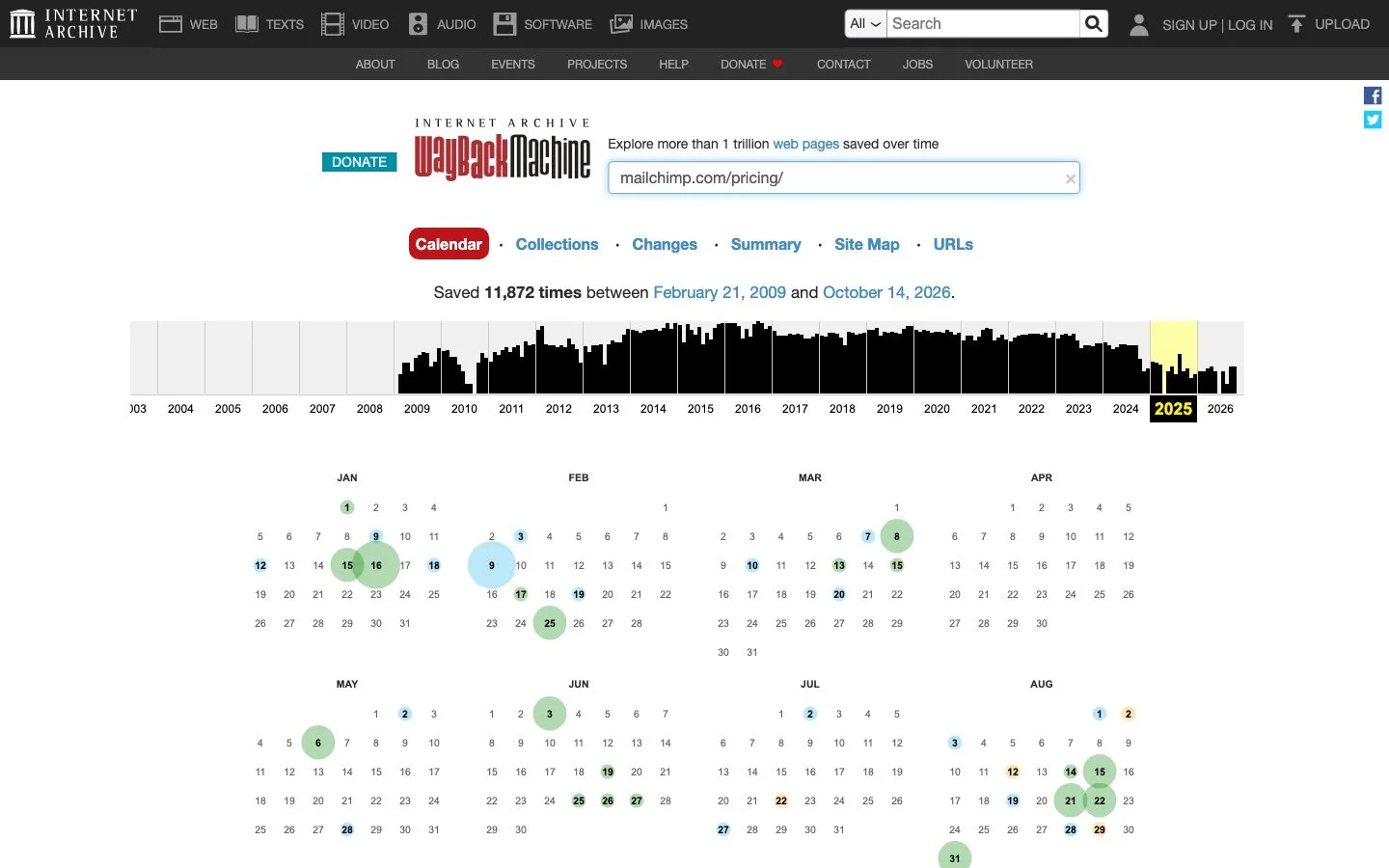
The Wayback Machine's calendar for one pricing page, captured October 26, 2026. Each circle is a day the page was saved; open two dates to compare them.
Open a copy from a year ago next to today's page. A smaller free plan, a new cheaper tier or a price rise all tell you where a competitor is trying to push customers, and which customers it might be leaving behind.
4. See which ads they are running right now
The big ad platforms publish searchable libraries of the ads they show, and they are free. In the EU, the Digital Services Act requires very large online platforms to keep a public ad repository, which is one reason these libraries exist.
- Google Ads Transparency Center: search by advertiser name or website and see the ads they run across Google Search, YouTube and Google's other platforms, filtered by date, platform and format.
- Meta Ad Library: search by keyword or advertiser and see ads running across Facebook, Instagram and Meta's other apps, with the date each one started.
- LinkedIn Ad Library: search by company, payer, keyword, country or date.
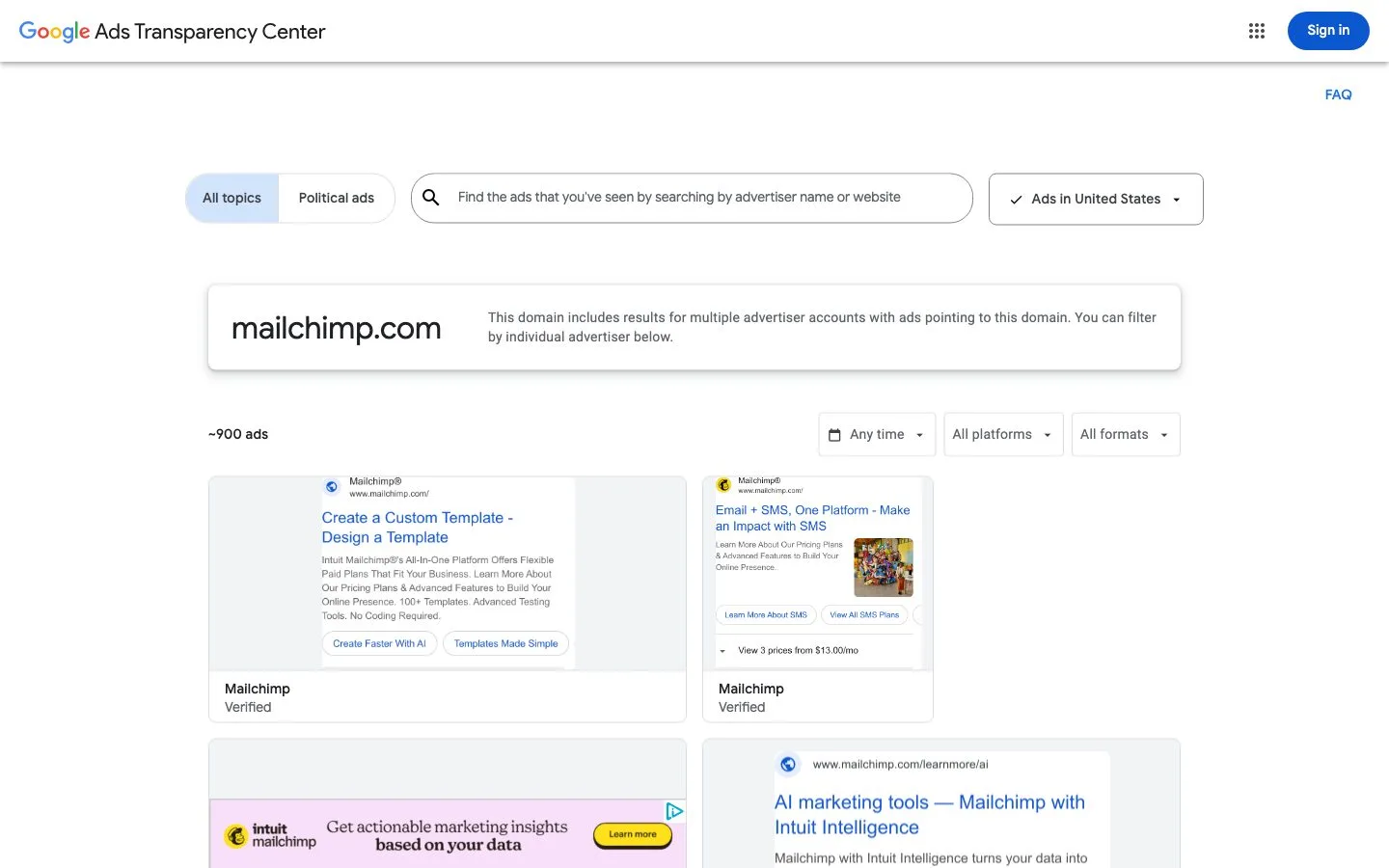
Google's Ads Transparency Center for one domain on October 26, 2026: about 900 ads, filterable by date, platform and format.
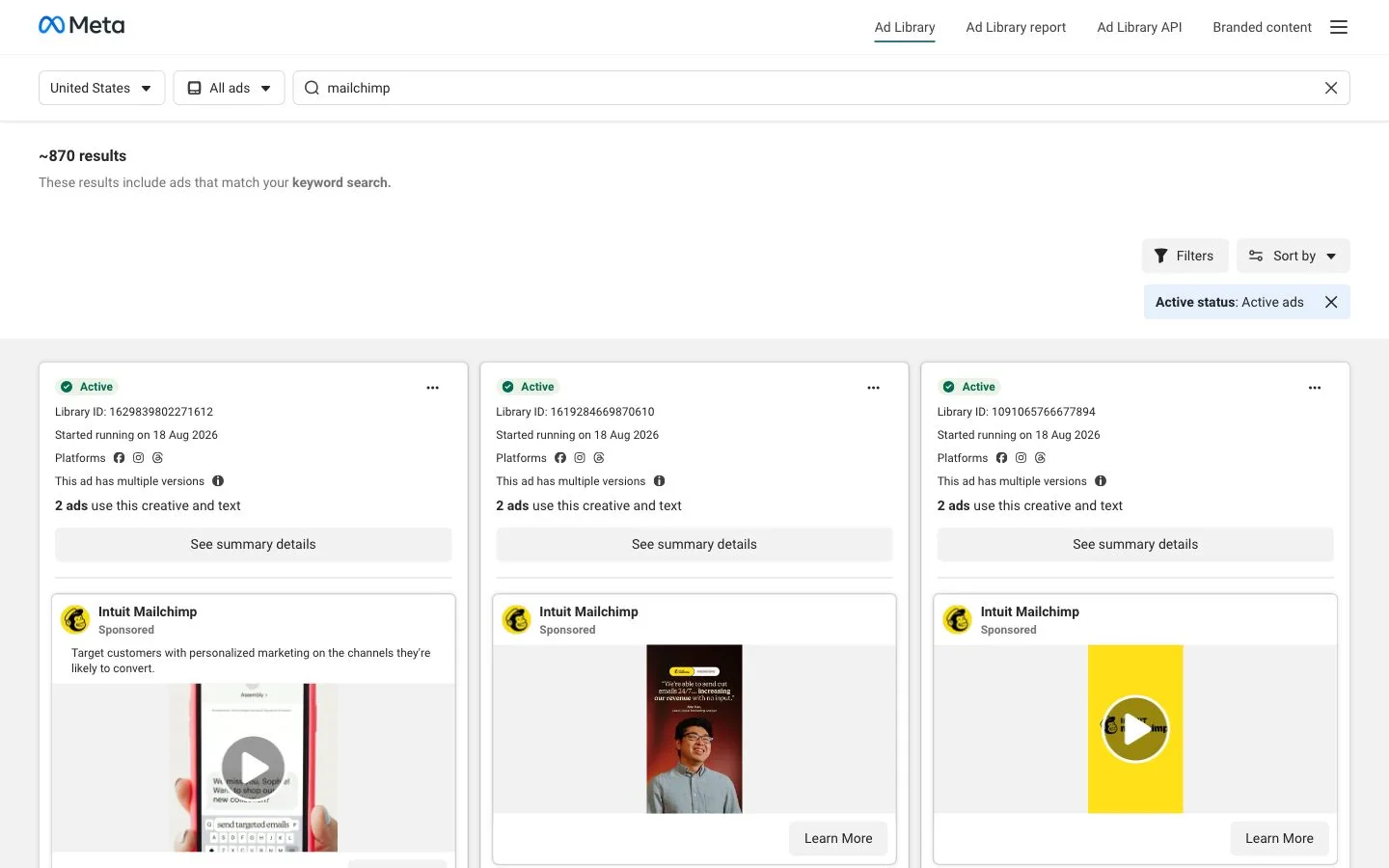
Meta's Ad Library for the same brand on the same day: about 870 results, each with a start date and the platforms it runs on.
Do not try to read every ad. Sort by newest, look at the first twenty, and write down the two or three messages they repeat. A message that appears in many ads for weeks is one they have tested and kept. The start date matters too: an ad that has run for months is probably working.
If you also want to know which ad formats are working in general, not just for one rival, our posts on AI ad creative and YouTube ad tips cover that.
5. Read what they publish
List the content each competitor puts out: blog topics, guides, videos, a newsletter, a podcast. Note how often, and what each piece is trying to get the reader to do. You are looking for two things:
- Topics they own. If one competitor has twenty good articles on a subject, you will not outrank them next month. Pick another angle.
- Questions nobody answers. A question your customers ask that no competitor has a clear page for is a cheap win, in search and in AI answers. Our AEO checklist explains how to write that page so AI answers quote it.
6. Read their reviews
Reviews are the most useful source in the whole exercise, because they tell you what customers actually feel. Read the three-star reviews first: they are usually the most specific. Then read the one-star and five-star reviews for patterns.
Look on review sites for your category, app store reviews, community forums and social media replies. Write down:
- What customers love, so you know what not to be worse at.
- What customers complain about, repeatedly. One angry review is noise. The same complaint in ten reviews is an opening.
Common openings are confusing pricing, slow support, a missing feature for one type of customer, or a product built for a bigger company than the reviewer runs.
7. Write down the gap you can own
Finish with one sentence per competitor: what they do badly or ignore that you can do well. Then pick one of those gaps and make it your position for the next campaign. For example: "Competitor A is built for agencies and its reviews say setup takes a week; we will be the tool a two-person shop sets up in an afternoon."
That one sentence becomes the brief for your homepage headline, your next ads and your next few posts. MITPO's campaign planning starts from exactly this kind of one-line brief.
Free competitor analysis template
Here are the twelve fields we fill for each competitor, with where to find each one. Download the template as a CSV and open it in Google Sheets, Excel or Numbers; it has a column for each of three competitors.
| Field | What to write | Where to find it |
|---|---|---|
| Who it is for | The customer they name or picture | Homepage, About page, case studies |
| Main promise | Their homepage headline, in their words | Homepage |
| Proof they use | Reviews, ratings, logos, numbers | Homepage, pricing page |
| Entry price | Cheapest paid plan and billing period | Pricing page |
| Free plan or trial | What is free, and its limits | Pricing page |
| Price changes | When pricing changed, and how | Wayback Machine |
| Where they advertise | Search, Meta, LinkedIn, TikTok, YouTube | Ad libraries |
| Ad angles running now | The 2-3 messages they repeat | Ad libraries, newest first |
| Content they publish | Topics, formats and how often | Blog, YouTube, newsletter |
| What customers complain about | Complaints that repeat | Reviews, forums, app stores |
| What customers love | Praise that repeats | Same sources |
| Gap you can own | One thing they miss that you can do well | Your reading of the above |
Keep each cell to one line. If a cell needs a paragraph, you have found something important: move it into the gap row.
How long does a competitor analysis take?
A first pass on three competitors takes about three to four hours by hand: roughly an hour per competitor for the homepage, pricing, ads and reviews, and half an hour to write the gaps and the decision. After that, a monthly refresh of the ads and pricing rows takes under an hour, because you only look for what changed.
The slow part is not finding information; it is reading it. That is the part AI now does well.
How can AI speed up a competitor analysis?
AI speeds up the reading and summarising: it can visit a competitor's site, pull out the promise, proof, audience and design, and draft the gaps, so you spend your time on the decision instead of the copying. You still need to check what it says against the sources, the same way you would check a junior researcher's notes.
In MITPO this is the competitor research tool. You type a competitor's website and choose Spy for a report on one competitor, or Scout to find competitors you did not know about.
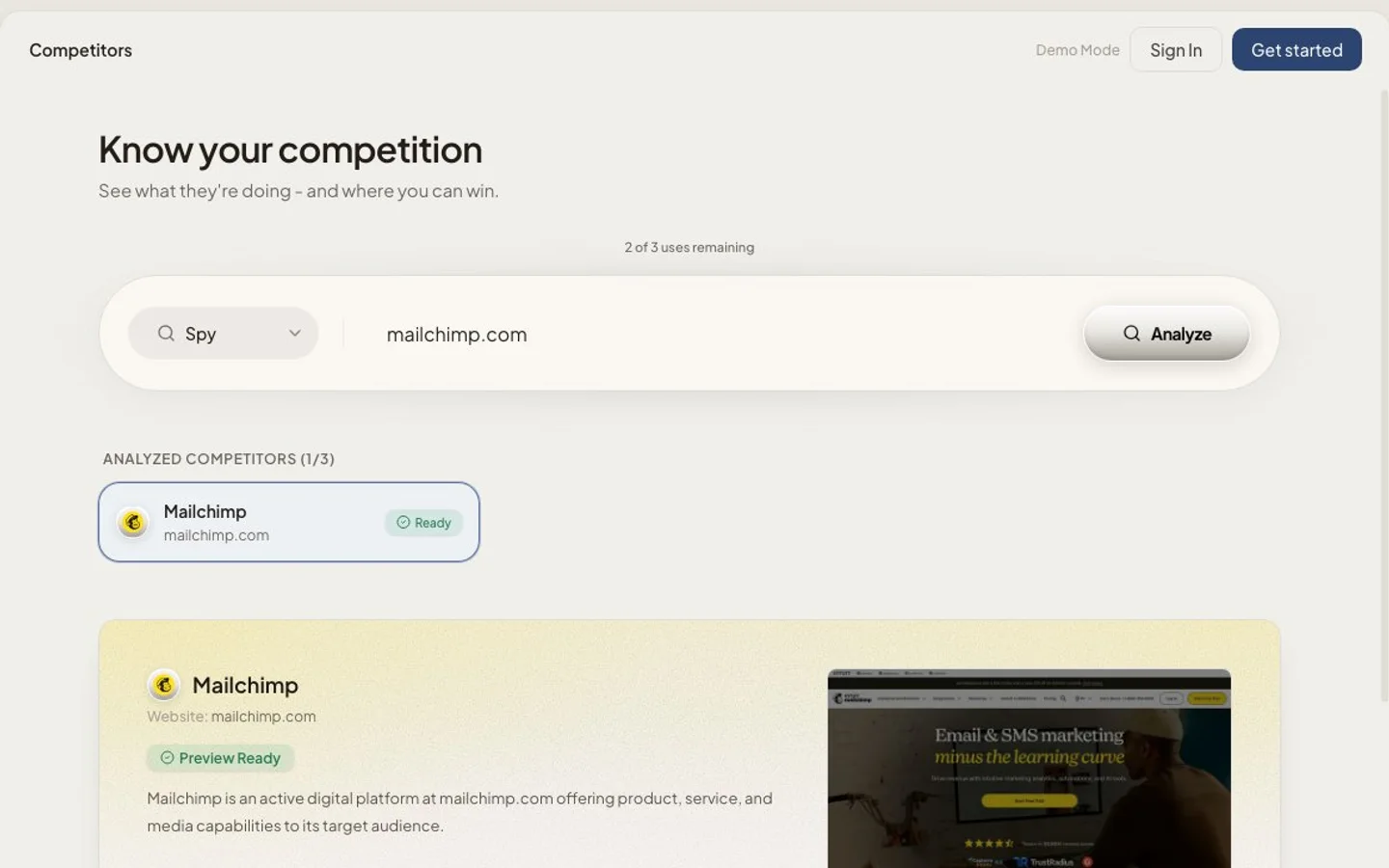
MITPO Spy in the free demo: type a competitor's website and press Analyze.
The report covers what the competitor offers and who it is for, its brand kit (colours, how the site sells, its style and voice), search visibility, recent news, and a "your play" section with content gaps and next steps. The demo preview shows part of it; the full report on a plan includes pricing and channel intelligence.
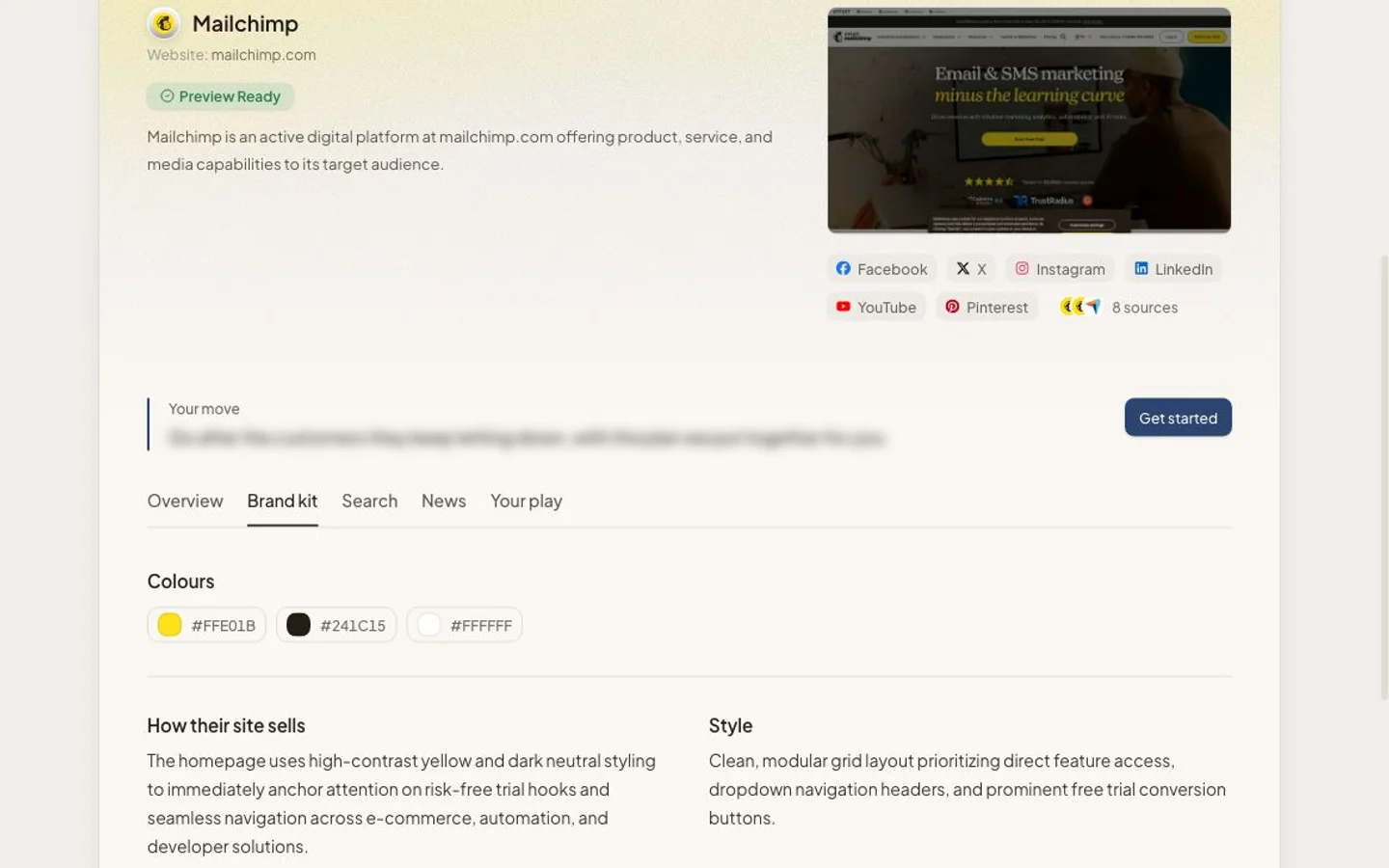
The Brand kit tab of a Spy report, from the demo on October 26, 2026.
Spy and Scout are on every plan, with daily limits: Spy reports are 2 a day on Free (3 a month), 20 on Starter, 60 on Growth and 250 on Scale. The details are in the Competitor Intel docs and on the pricing page. You can also try a preview with no account in the demo, which allows 3 previews a week, or use the standalone free competitor analysis tool.
For a wider look at the tools in this category, see our breakdown of AI competitor intelligence tools and our guide to choosing competitor analysis software. If you are weighing an SEO suite for this, compare MITPO vs Semrush and MITPO vs Ahrefs.
What should you do with the results?
Turn the analysis into one positioning decision and two or three small tests, then schedule the refresh. A finished analysis that changes nothing was a research project, not a competitor analysis.
- Rewrite one message. Put the gap you chose into your homepage headline or your next ad. Our brand voice guide helps you say it in your own voice.
- Answer the unanswered question. Publish the page no competitor has.
- Test one channel they ignore. If every rival is on search and nobody is on LinkedIn, try a small LinkedIn test.
- Fix what reviews punish them for. If their customers complain about setup, make your setup the thing you show first. Our list of landing page mistakes covers the basics.
- Refresh monthly. Re-check the ads and the pricing page. Everything else changes slowly.
To test a new direction before you commit to it, MITPO's idea validation gives a quick read on the market for an idea. For the long view on which marketing habits keep working whatever competitors do, read our timeless marketing tips.
Common mistakes to avoid
- Copying the leader. The point is to find where you are different, not to become a smaller version of the biggest rival.
- Too many competitors. Ten rivals hide the pattern. Three show it.
- Features instead of promises. Customers buy outcomes. Compare what each rival promises, not only its feature list.
- Skipping substitutes. Your biggest competitor is often the spreadsheet your customer already uses.
- Never refreshing. Ads and pricing change monthly. A year-old analysis is a history lesson.
Frequently Asked Questions
What should a competitor analysis include?
Who each competitor serves, its main promise and proof, its price and free plan, where it advertises and with which messages, what it publishes, what its customers praise and complain about, and one gap you can own.
What is the best free competitor analysis template?
A simple table with one row per field and one column per competitor works best. Our free template has twelve fields and space for three competitors, and it opens in any spreadsheet app.
How many competitors should I analyze?
Three: two direct competitors and one substitute. You can add more later, but three is enough to see a pattern and make a decision.
How do I see my competitors' ads for free?
Search for them in the Google Ads Transparency Center, the Meta Ad Library and the LinkedIn Ad Library. All three are free and need no ad account.
How do I see a competitor's old pricing?
Enter their pricing page URL in the Wayback Machine and open copies from different dates. It shows how often the page was saved and lets you compare versions.
How often should I do a competitor analysis?
Do a full pass once a quarter and a light refresh of ads and pricing once a month.
Can AI do a competitor analysis?
AI can do most of the reading and summarising, and tools like MITPO Spy turn a website into a report in minutes. Check its claims against the sources, and make the final positioning decision yourself.
Sources
Put this to work in MITPO
Open the demo with no account, or create a free account and start with your own brand.
MITPO Editorial & Research Team
Operator-verified playbooks benchmarked on active 2026 marketing workflows.
Further Reading
Related Articles

Competitor Analysis Software for Founders: How to Pick the Right Tool
A practical guide to choosing competitor analysis software that helps founders understand positioning, messaging, proof, and market gaps instead of collecting shallow screenshots.

Product-Led vs. Sales-Led Growth: The Ultimate 2026 Playbook
The battle between growth motions continues. We analyze when to let the product sell itself and when to pick up the phone.

Buffer Alternatives for Startups in 2026: What Actually Matters
A practical guide to choosing a Buffer alternative when your team needs planning, drafting, review, and publishing without adding more operational drag.