AI
Best Free AI Video Generators (November 2026): What You Really Get for $0
Which AI video generators are really free in November 2026, how much each free plan gives you, which add a watermark, and when it is worth paying.

The best free AI video generator in November 2026 is Google Vids, which lets anyone with a Google account generate videos with Gemini Omni at no cost. Dreamina (Seedance 2.0) gives US accounts 120 free credits a day, and HeyGen gives 2 free five-second clips a day with sound. Almost every other "free" plan is a one-time trial or adds a watermark.
That is the short answer. The longer one matters if you make marketing videos, because "free" means very different things from tool to tool: a daily allowance, a one-time trial, a plan with no credits at all, or open model weights you run yourself. This guide lists what each tool's own pricing and help pages said on October 26, 2026, and when it is worth paying.
Key Takeaways
- Most generous free options: Google Vids (Gemini Omni, no stated cap), Dreamina (120 credits a day for US accounts), Google Flow (50 credits a day) and HeyGen Video (2 clips a day).
- One-time trials, not free plans: Runway (125 credits, once), LTX Studio (800 credits, once), MiniMax Hailuo and Luma (trial credits, amount not stated).
- No usable free tier: Pika's free plan includes 0 credits, Higgsfield's includes 0 credits, and Canva's AI video clips are unavailable on its Free plan.
- Sora is gone. OpenAI shut down the Sora app on April 26, 2026 and the API on September 24, 2026.
- Watermarks and commercial use: free plans that state it add a watermark, and the ones that mention commercial use keep it for paid plans. Check before you post a free clip in an ad.
What is the best free AI video generator right now?
Google Vids is the best free option because Google says anyone with a Google or Google Workspace account can generate videos "at no cost" with its Gemini Omni 1.1 Flash model, and it does not state a daily cap. Every clip carries a digital watermark (Google's SynthID), which is invisible to viewers.
If you want a daily allowance you can plan around, Dreamina is the clearest: its own page, dated October 22, 2026, says US free accounts receive 120 credits per day, and points to Seedance 2.0 for video. For short clips with sound straight from a text prompt, HeyGen's new Video model gives free accounts 2 clips a day, 5 seconds each at 768p.
Here is Google's launch video for Gemini Omni, the model behind the free Vids option.
Free AI video generators compared
Every line below comes from the tool's own pricing, help or launch page, read on October 26, 2026. "Not stated" means the page does not say.
| Tool | Current model | Free allowance | Watermark on free | Commercial use on free | Sound |
|---|---|---|---|---|---|
| Google Vids | Gemini Omni 1.1 Flash | No cost, cap not stated | Invisible SynthID | Not stated | Not stated |
| Google Flow | Gemini Omni Flash, Veo 3.1 | 50 credits a day (see note) | Invisible SynthID | Not stated | Not stated |
| Dreamina (CapCut) | Seedance 2.0 on free; 2.5 is the flagship | 120 credits a day (US) | Yes (removal is paid) | Not stated | Yes, on Seedance 2.5 |
| HeyGen Video | HeyGen Video 1 | 2 clips a day, 5 s, 768p | Not stated | Not stated | Yes |
| Kling | Kling 4.0 | Monthly free credits, amount not stated | Yes (removal is paid) | No | Yes |
| Adobe Firefly | Firefly Video Model + partners | Free daily generations, count not stated | Not stated | Firefly model built for commercial use | Partner models only |
| Wan | Wan 3.0 | Daily check-in credits, amount not stated | Watermark-free is paid | Not stated | Not stated |
| Runway | Gen-4.5 (not on free) | 125 credits, once | Yes | Not stated | Not stated |
| LTX Studio | LTX-2.5 | 800 credits, once | Watermark-free starts at Lite | Personal use only | Yes |
| MiniMax Hailuo | MiniMax H3 | Trial credits, once, amount not stated | Yes | Not stated | Yes |
| Luma | Ray3.2 | Trial credits, amount not stated | Not stated | Not stated | No |
| Pika | Pika 2.5 | 0 credits (packs only) | Not stated | No | Separate tools |
| Higgsfield | Multi-model, plus its own DoP | 0 credits | Not stated | No | Depends on model |
| Canva | "Create a video clip" (Veo 3) | Unavailable on Free | n/a | n/a | Yes |
A note on Google Flow. Google's Flow credits page says "with or without a subscription, you receive 50 Google Flow credits per day", and that a 4-second Omni Flash clip at 720p costs 7 credits, so 50 credits covers about seven of them. The same page says that during peak hours, roughly 2 PM to 5 PM UTC, you may not be able to generate videos without a subscription, and Google's getting-started page describes Flow as part of its paid plans. Treat the free allowance as real but not guaranteed.
Which free AI video generators have no watermark?
None of the free plans we checked clearly promise watermark-free video you can use commercially. Dreamina, Kling, Runway, MiniMax Hailuo, Wan and LTX Studio all list watermark removal as a paid feature or say free downloads carry a watermark. Google's free options use SynthID, an invisible watermark, so the video looks clean but can be identified as AI-made. Pika's free plan includes no credits, so the question does not arise there.
If a clean, commercially licensed clip is the goal, the cheapest route is usually the entry paid plan of the tool you already like (see the price table below), or an open model you run yourself.
Can you use free AI videos in ads?
Usually not without checking, because most free plans either do not mention commercial use or exclude it. Kling's plan table marks commercial use as paid-only, and its FAQ says paid subscribers may use outputs commercially. LTX Studio's free plan comes with a personal-use licence. Pika and Higgsfield mark commercial use as "Not included" on free. Adobe says its own Firefly video model is designed to be safe for commercial use, but partner models inside Firefly may have different terms.
For ads, read the terms of the plan you are on, keep a copy of them with the campaign, and disclose AI-made footage where the platform asks you to. Our post on authenticity after AI slop covers why clearly labelled AI work tends to land better anyway.
Which AI video models are the best right now?
On the Artificial Analysis Video Arena, where people vote between clips without knowing which model made them, the top five text-to-video models with sound on October 26, 2026 were:
| Rank | Model | Maker | Elo |
|---|---|---|---|
| 1 | Wan 3.0 | Alibaba | 1175 |
| 2 | Utopai X | Utopai Studios | 1167 |
| 3 | HeyGen Video 1 | HeyGen | 1160 |
| 4 | MiniMax H3 (768p) | MiniMax | 1158 |
| 5 | Seedance 2.5 | ByteDance Seed | 1158 |
Two of those, Wan 3.0 and MiniMax H3, are also among the cheaper models to run. A leaderboard tells you which clips viewers preferred in a blind test, not which model fits your brief, so use it to shortlist and then test your own prompt.
These frames come from clips we made with several of these models in MITPO. They are the preview clips we show for each model, so you can see real output rather than a vendor's showreel.

Wan 3.0: a sneaker that bursts into origami birds and folds back together. Prompt: a studio product commercial, locked-off macro shot. Made in MITPO.

Seedance 2.5: a runner in a chrome jacket, kept consistent with two reference images across a ten-second clip with several camera moves. Made in MITPO.

MiniMax H3: a ten-second fashion editorial built from one reference image, keeping both models, the palette and the setting. Made in MITPO.
Free AI video generators, tool by tool
Google Vids and Flow (Gemini Omni)
Google's current video model is Gemini Omni, now at version 1.1 Flash, with Veo 3.1 still available in Flow. Vids is the free route for most people: open it with a Google account and generate. Flow is Google's filmmaking tool, with the 50-credit daily allowance described above. The cheapest paid plan, Google AI Plus, costs $4.99 a month and includes 200 Flow credits. The Gemini app's free plan does not include video generation.
Best for: quick social clips and explainers if you already work in Google Workspace. Our Gemini Omni Flash 1.1 guide and the earlier Gemini Omni Flash post cover the model in more depth.
Dreamina (Seedance)
ByteDance's flagship is Seedance 2.5, which its Seed team says makes up to 30-second clips with audio in one pass. Dreamina's free accounts get a daily credit allowance (120 a day in the US) for Seedance 2.0 and 2.0 Fast; we could not confirm that 2.5 is on the free plan. Paid plans remove the Dreamina watermark. We could only see the paid price in Australian dollars, so check it in your own region. Our Seedance 2.5 guide has prompts that work well with it.
HeyGen Video
HeyGen, best known for avatar videos, launched its own text-to-video model, HeyGen Video 1, which generates picture, dialogue and sound effects in one pass. The free playground gives 2 clips a day, 5 seconds each at 768p, with sound. Longer clips, your own images and 2K are in the paid app, where the Creator plan costs $29 a month or $24 a month billed yearly.
Kling
Kling is on version 4.0, with a cheaper 4.0 Flash, and generates stereo audio with clips up to 30 seconds. Non-subscribers can claim monthly free credits, but the pricing page does not say how many, and watermark removal, 1080p and commercial use are paid features. The Standard plan lists at $10 a month, or $79.20 a year.
Adobe Firefly
Firefly gives free daily generations across image, video and audio, without stating how many, and includes access to partner models. Clips run up to 8 seconds, some up to 15. Adobe positions its own Firefly video model as safe for commercial use. Firefly Standard costs $9.99 a month for 2,000 credits, which Adobe says covers up to 20 five-second videos.
Wan (Alibaba)
Wan 3.0 tops the Artificial Analysis leaderboard with sound. On Alibaba's Wan site, free users earn credits through a daily check-in; watermark-free downloads, 1080p and longer clips are paid. Pro costs $10 billed monthly or $5 a month billed yearly. Wan 3.0 itself is not open weights; the newest open Wan model is Wan 2.2.
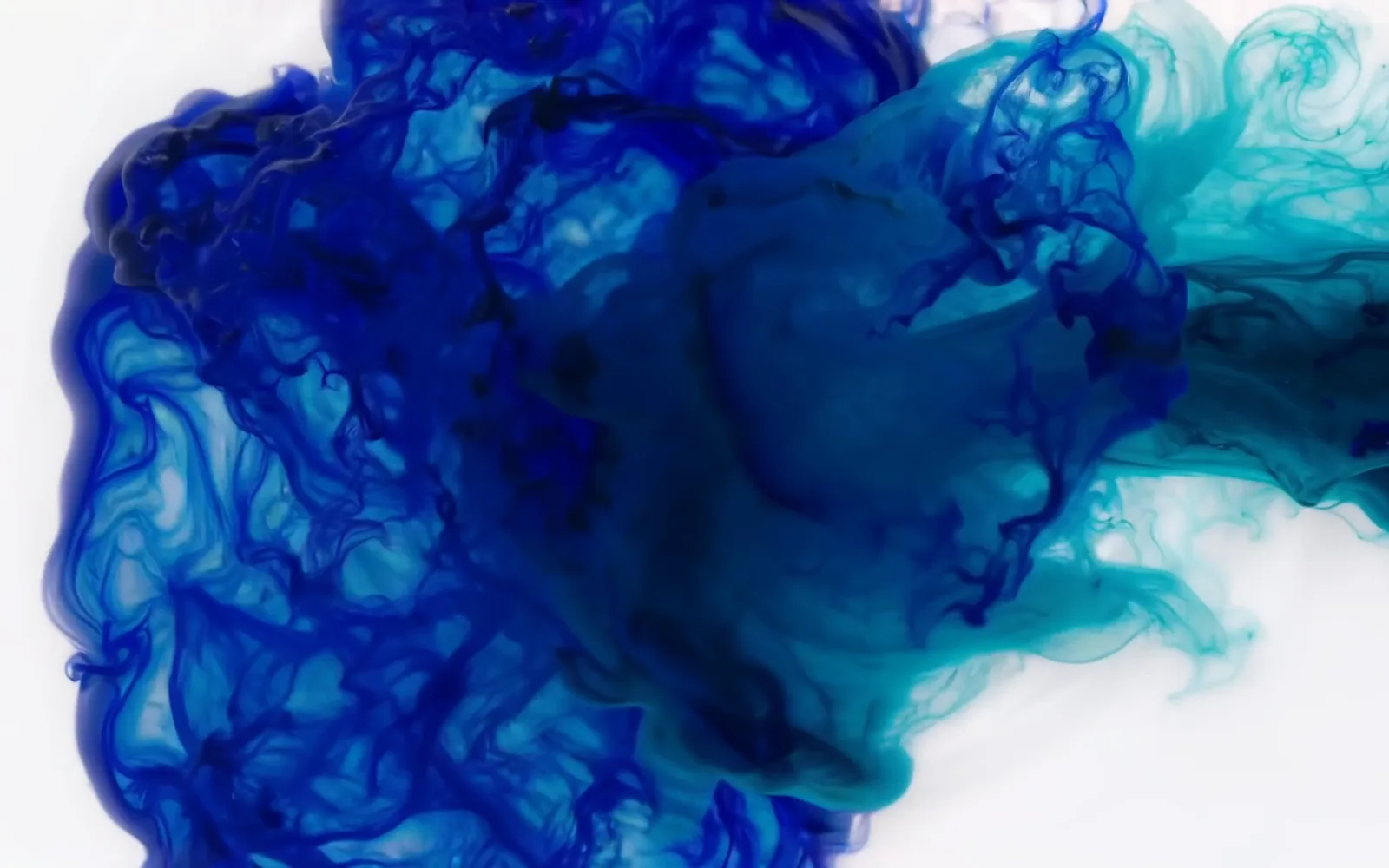
LTX 2.5: a slow-motion macro of ink in water. Prompt: indigo and teal plumes against a white backdrop, studio lighting. Made in MITPO.
LTX (Lightricks)
LTX-2.5 is the strongest open-weights option here: the model is on Hugging Face, and its community licence allows free commercial use for businesses under $10 million in annual revenue. If you have a capable GPU or a cloud machine, that is the only truly free, commercially usable route on this list. In LTX Studio, the free plan includes 800 one-time credits and LTX-2.5 under a personal-use licence; Lite ($15 a month, or $12 billed yearly) removes the watermark, and commercial use starts at Standard.
Runway
Runway's free plan includes 125 credits once, at 720p, with a Runway watermark. Its flagship, Gen-4.5, needs the Standard plan or higher, so free users get older models. Standard costs $15 a month, or $12 billed yearly, for 625 credits.
MiniMax Hailuo
MiniMax H3 makes clips of up to 15 seconds with native stereo audio, and its weights are published under MiniMax's own community licence. On the Hailuo app, free users get one-time trial credits for Hailuo models only, and free downloads carry a watermark. The Standard plan lists at $14.99 a month.
Luma
Luma's current model is Ray3.2, which does not generate audio. Its free AI video page says Luma is "free to try" with trial credits, but the pricing page lists no free plan. Plus costs $30 a month, or $25 billed yearly, and includes commercial use.
Pika, Higgsfield and Canva
These three are better seen as paid tools. Pika's free plan includes no monthly credits; Starter is $10 a month. Higgsfield is a multi-model platform whose free plan has 0 credits and no commercial use; Starter is $19 a month. Canva's "Create a video clip", which its feature page says is powered by Google's Veo 3, is unavailable on Canva Free; it comes with Canva Pro. If you are weighing Higgsfield for marketing work, see MITPO vs Higgsfield and our list of Higgsfield alternatives.
What happened to Sora?
OpenAI discontinued the Sora app and website on April 26, 2026, and the Sora API on September 24, 2026, according to its help centre and developer deprecations page. Any list that still recommends Sora is out of date.

FLUX 3 Video: a perfume bottle that cracks open into a small garden of flowers. FLUX 3 Video is API-only with no free tier. Made in MITPO.
What is the cheapest paid AI video plan?
Google AI Plus at $4.99 a month is the cheapest paid plan on this list, followed by Wan Pro at $5 a month billed yearly. Monthly prices below are the vendor's own, in US dollars, read on October 26, 2026.
| Tool | Cheapest plan | Monthly price | Billed yearly |
|---|---|---|---|
| AI Plus | $4.99 | not shown | |
| Wan | Pro | $10 | $5 a month |
| Adobe Firefly | Firefly Standard | $9.99 | not shown |
| Kling | Standard | $10 list | $79.20 a year |
| Pika | Starter | $10 | $8 a month |
| MiniMax Hailuo | Standard | $14.99 list | $8.40 a month |
| Runway | Standard | $15 | $12 a month |
| LTX Studio | Lite | $15 | $12 a month |
| Higgsfield | Starter | $19 | $19 a month |
| HeyGen | Creator | $29 | $24 a month |
| Luma | Plus | $30 | $25 a month |
| Canva | Pro | not shown | $144 a year |
Credits do not compare directly across tools, because each model costs a different number of credits per second. Before you pay, work out how many seconds of your preferred model a plan buys. Our piece on the 2026 AI model price war explains why per-second prices keep falling.
Which one should you pick?
Pick by the job, not by the leaderboard:
| You want to | Start with |
|---|---|
| Try AI video for free with no card | Google Vids |
| Make a few short clips every day for free | Dreamina or HeyGen |
| Make clips with sound and dialogue | HeyGen Video, Kling 4.0 or Seedance 2.5 |
| Use free clips commercially | LTX-2.5 open weights, or an entry paid plan |
| Make product shots and ad footage | Wan 3.0, Seedance 2.5 or MiniMax H3 |
| Keep a person or product consistent across shots | Seedance 2.5 or MiniMax H3 with reference images |
| Stay in Adobe or Canva | Firefly or Canva Pro |
For ads specifically, the model matters less than the plan for the ad. Our YouTube ad tips, the Dollar Shave Club launch video lessons and the Kalshi AI ad case study show what makes a short video work. Our earlier AI video model comparison goes deeper on Seedance, Veo, Kling and MiniMax.
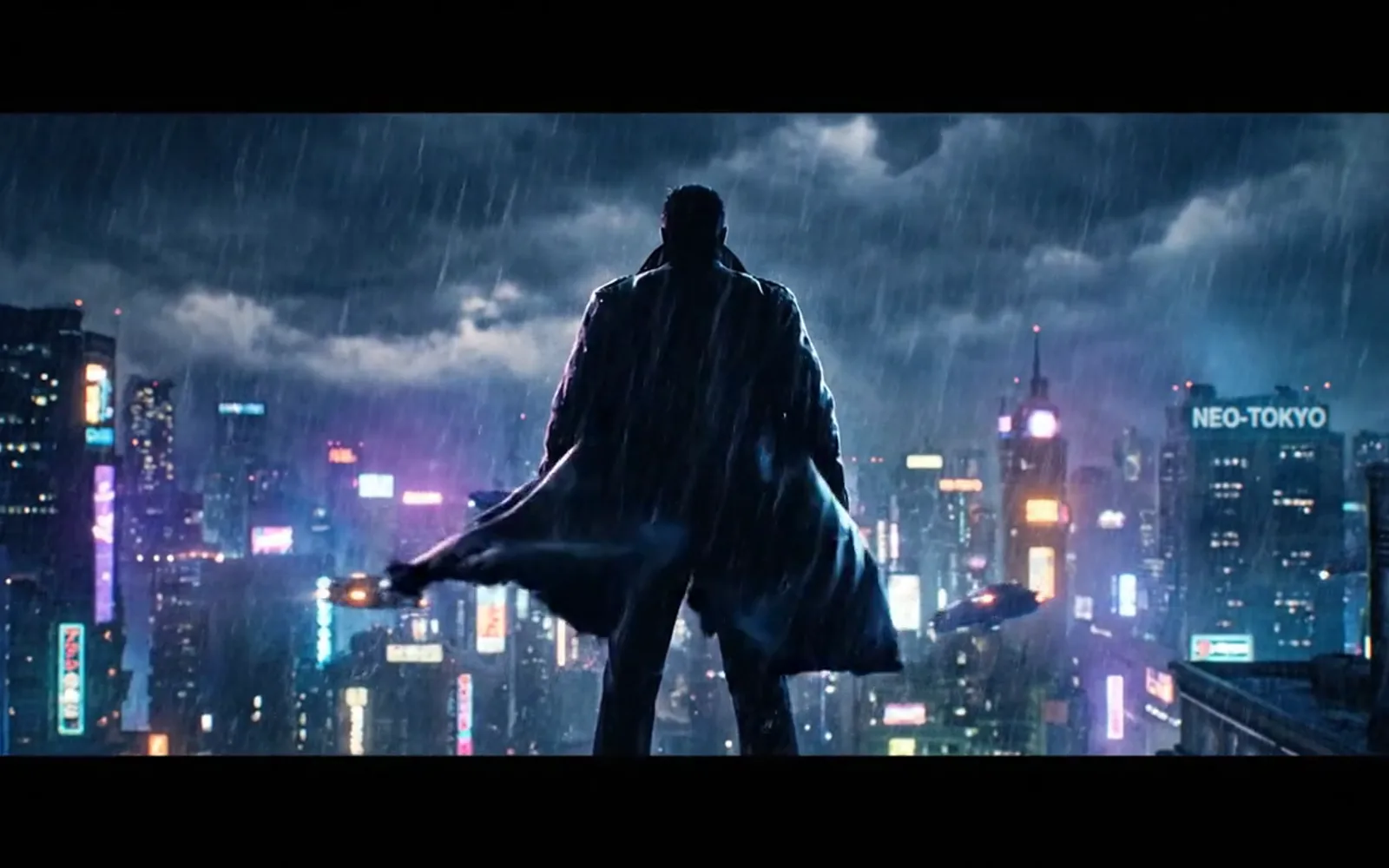
Veo 3.1 Fast: a trailer-style rooftop shot in the rain. Made in MITPO.
Who should skip free AI video tools?
Skip the free tiers if you need clips for paid ads this week. Watermarks, unclear commercial terms, low resolution and peak-hour limits all get in the way, and the time you spend working around them costs more than an entry plan. Also skip them if your brand needs the same person or product across many shots: that takes reference images and longer clips, which free plans rarely include.
Free tiers are the right choice for learning, storyboards, internal drafts and testing which model suits your style before you pay.
Where MITPO fits
MITPO does not offer free video generation: every video model in MITPO Creative Studio starts on the Starter plan. What you get instead is many of the models above in one place, including Veo 3.1, Seedance 2.5, Wan 3.0, MiniMax H3, LTX 2.5, FLUX 3 Video and Kling 3.0, priced in one set of credits, next to the image models and your brand settings. For example, a 5-second clip costs 25 credits on Veo 3.1 Lite, 50 on Wan 3.0 and 52 on Seedance 2.5. See the pricing page for plans and the Creative Studio docs for how video works.
The Free plan does include image models such as Nano Banana 2.1, so you can build the stills and storyboard for free; our Nano Banana Pro vs 2.1 comparison explains which image model to use. When you are ready, plan the campaign around the video with campaign planning, draft the words with the free ad copy generator, and try Creative Studio in the demo or create a free account. For the bigger picture of tools for lean teams, see our top AI tools for marketers and the AI creative studio guide.
How we checked
- Date: every free allowance, watermark, licence and price was read on the vendor's own pricing, help or launch page on October 26, 2026. Some pages showed us prices in Australian dollars; we list US dollars only where a vendor's page showed them.
- Not stated means not stated. Where a page does not give a number, we say so rather than guess.
- Leaderboard: the Artificial Analysis Video Arena text-to-video board, with audio, read the same day. The page shows no "last updated" date.
- Pictures: frames from preview clips made in MITPO with each model. We did not run one shared prompt across every tool for this edition.
- Refresh: we update this list monthly; free plans change often.
Frequently Asked Questions
What is the best free AI video generator?
Google Vids, which lets anyone with a Google account generate videos with Gemini Omni at no cost. For a fixed daily allowance, Dreamina gives US accounts 120 credits a day.
Is there a free AI video generator with no watermark?
Not one we could confirm that also allows commercial use. Google's free tools use an invisible SynthID watermark; most others add a visible watermark on free plans. Running the open LTX-2.5 model yourself avoids both.
Is Sora still free?
No. OpenAI discontinued the Sora app on April 26, 2026, and the Sora API on September 24, 2026.
Is Gemini Omni free?
Yes, in Google Vids, where Google says anyone with a Google account can generate videos at no cost. In the Gemini app, video generation needs a paid plan, and the Gemini API has no free tier for it.
Is Kling free?
Kling gives non-subscribers monthly free credits, but does not state how many, and free clips are watermarked and not licensed for commercial use. The Standard plan lists at $10 a month.
Which free AI video generator makes sound?
HeyGen Video's free playground makes 5-second clips with sound, and Dreamina's Seedance models and Kling generate audio too.
Does MITPO have free AI video?
No. Video models in MITPO start on the Starter plan. The Free plan includes image models, so you can make the stills and storyboard for free.
Sources
- Google: Gemini Omni in Google Vids
- Google Flow Help: Google Flow credits
- Dreamina: Free AI video credits, limits and exports (October 22, 2026)
- HeyGen: Introducing HeyGen Video
- Kling AI: Credit policy
- Runway Help: Free plan details
- LTX Studio pricing
- Lightricks: LTX-2.5 on Hugging Face
- OpenAI Help: What to know about the Sora discontinuation
- Artificial Analysis: Text-to-video leaderboard
Put this to work in MITPO
Open the demo with no account, or create a free account and start with your own brand.
MITPO Editorial & Research Team
Operator-verified playbooks benchmarked on active 2026 marketing workflows.
Further Reading
Related Articles

Gemini Omni Flash: Google's Any-to-Any Video AI for Marketers
Google's Gemini Omni Flash turns text, photos, and footage into 10-second videos with audio. What it means for marketers — and how to use it in MITPO.

Seedance 2.5 for Marketing: What a 30-Second One-Take Actually Changes
ByteDance shipped Seedance 2.5 with a native 30-second take and 50 reference inputs. Here's what that changes for ad creative, and how to use it in MITPO Creative Studio.

The Future of AI in Digital Marketing: 2026 Trends You Can't Ignore
A 2026 operator brief on AI search, agentic workflows, first-party data, creative automation, and the systems marketers need to stay competitive.