Seedream 5.5 Guide: 2K Image Generation, 10-Image Edits and Transparent PNGs for Ad Creative
What ByteDance's Seedream 5.5 offers an ad team: text-to-image and multi-image edits, transparent PNG output, what it costs on fal and Runware, and what it costs in MITPO.

Ad teams keep asking image models for the same two things: a clean first draft at the size you will actually publish, and edits that change one thing without rebuilding the picture. Seedream 5.5 is ByteDance's newest Seedream release: OpenRouter listed it on November 12, 2026, and fal and Runware both carry it with published prices. This guide covers what the hosts document, what it costs, and how it is set up in MITPO Creative Studio.
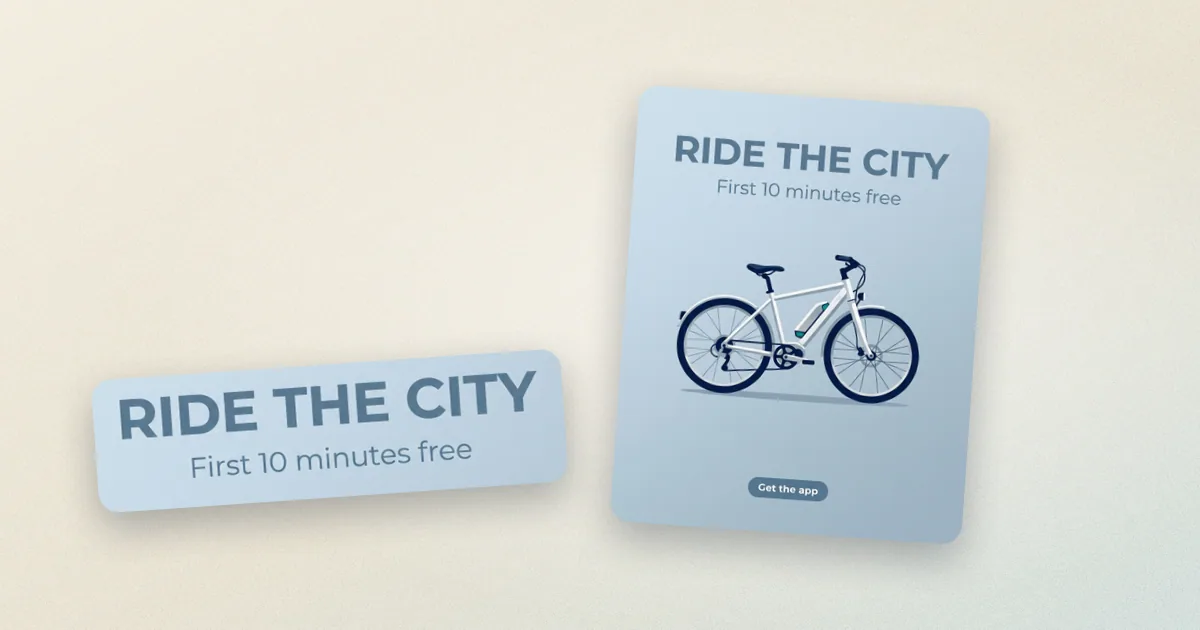
One honest note first: ByteDance had not published a model card we could read when we wrote this, so everything below comes from the host pages and API schemas. We have run only a handful of renders ourselves (the cover image above is one), so this guide makes no claims about overall image quality. It tells you what the model accepts and what it costs.
Key takeaways
- What it is: ByteDance's Seedream 5.5, for text-to-image and image editing. fal describes it as generating images from text with configurable dimensions, batch generation and transparent PNG backgrounds.
- Sizes: any canvas between 921,600 and 4,624,220 pixels (about 0.92 to 4.62 megapixels), aspect ratios from 1:16 to 16:1, default "auto 2K".
- Editing: up to 10 reference images per edit on fal (it uses the last 10 if you send more).
- Transparent output: set the background to transparent and ask for PNG. Transparent needs PNG, not JPEG.
- Price on fal: $0.03 per image up to 2.61 megapixels, $0.0405 above. Edits add $0.012 per input image.
- In MITPO: 5 credits per image, 8 credits for an edit with reference images (up to 3), on Starter and above.
What the hosts document
| Setting | What the fal schema says |
|---|---|
| Prompt | Text prompt, the only required field |
| Image size | Preset or exact width and height, 921,600 to 4,624,220 pixels, ratio 1:16 to 16:1, default auto 2K |
| Images per request | 1 to 6 separate generations |
| Output format | PNG (default) or JPEG |
| Background | Auto, opaque or transparent; transparent returns an RGBA image and requires PNG |
| Watermark | Off by default; on adds the provider's visible watermark |
| Safety checker | On by default |
The edit endpoint takes the same fields plus a list of reference images, up to 10.
What it costs on each host
Prices change, so check the host before you commit a budget. These were read on November 13, 2026.
| Host | Up to 2.61 MP (1K, 1.5K) | Above 2.61 MP (2K) | Per input image on edits |
|---|---|---|---|
| fal | $0.03 | $0.0405 | $0.012 per input image per output |
| Runware | $0.02 | $0.035 | $0.008 |
fal's own example: an edit with two input images costs $0.054 at 1.5K and $0.0645 at 2K for one output. Because input images are billed per output, a batch of several outputs multiplies the reference-image fee, so plan edits with fewer, better references. OpenRouter also lists Seedream 5.5 and prices image input at $0.008.
Where a mid-priced image model earns its place
- Hero and campaign images at publishing size. A 2K canvas covers a feed post, a story and a banner crop from one render.
- Product shots with a protected subject. Edit with the product as reference one and say what must not change.
- Cutouts for layouts. A transparent PNG drops straight onto a landing page, a deck or an ad template.
- Variant batches. Ask for several separate generations of one prompt, then choose.
Editing with reference images
The pattern that keeps a campaign consistent is the same one that works on any multi-reference editor:
- Reference one: the subject you cannot afford to drift, such as the product.
- Reference two: a lighting or layout example.
- Prompt: one sentence for what to keep, one for what to change.
fal's own example edit shows the idea: keep the vase, the lily and the plinth exactly in place, change the backdrop colour and the lighting, and state that realistic glass and shadows must survive.
Three prompt templates
1. Campaign still life
Design-magazine still life on a [colour] seamless backdrop: [hero object] on a low
plinth, three-quarter view, generous empty space above for a headline added later,
crisp side light from the left, long graphic shadows. No text or logos.2. Edit that protects the product
Keep the product, its shape and proportions exactly as in the first image. Change
only the background to [new scene] and the light to [soft window light from the
left]. Keep realistic reflections and shadows. No text or logos.3. Transparent cutout (PNG, transparent background)
[Product] centred on a plain background, even soft light, clean edges, no shadow on
the ground, full object visible with a small margin all round.Limits to plan around
- No vendor model card yet. We could not read ByteDance's own page for 5.5, so tier positioning against Seedream 5.0 Pro and Flash is not something we can state.
- Text inside images is undocumented. Test small type before you rely on it and add real headlines in your design tool.
- Edits get dearer with every reference. Each input image is billed on each output.
- Not every host does everything. Transparent backgrounds and the 10-image edit limit are documented on fal; confirm them on any other host you use.
Using Seedream 5.5 in MITPO
Pick Seedream 5.5 in Creative Studio, type a prompt or attach up to 3 reference images, and generate. A new image costs 5 credits; an edit with reference images costs 8 credits. It is available on Starter and above, and a failure falls back to Seedream 5.0 Flash. The pricing page lists plan limits and the Creative Studio docs explain credits.
FAQ
What is Seedream 5.5?
It is ByteDance's newest Seedream image model, for text-to-image and image editing. fal lists it with configurable dimensions, batch generation and transparent PNG support.
How many reference images can Seedream 5.5 use?
Up to 10 on fal. In MITPO an edit takes up to 3 reference images, to keep the cost per edit predictable.
How much does Seedream 5.5 cost?
On fal, $0.03 per image up to 2.61 megapixels and $0.0405 above, plus $0.012 per input image on edits. Runware lists $0.02 and $0.035 with $0.008 per input image. In MITPO it is 5 credits per image and 8 credits for an edit.
Can Seedream 5.5 make a transparent background?
Yes, on fal: set the background to transparent and the output format to PNG. JPEG cannot carry transparency.
How does it compare with Seedream 5.0 Pro or Flash?
ByteDance has not published a comparison we could read. In MITPO, Flash is the cheaper tier at 3 credits and 5.0 Pro is 7 credits, so 5.5 sits between them on price. Run the same brief through two and choose on your own results.
Put this to work in MITPO
Open the demo with no account, or create a free account and start with your own brand.
MITPO Editorial & Research Team
Operator-verified playbooks benchmarked on active 2026 marketing workflows.
Further Reading
Related Articles
Nano Banana 2.1 for Marketers: What Changed, What It Costs, and How It Tested
Google released Nano Banana 2.1 on October 6, 2026. Here is what its documentation says, the per-image price at each size, what we saw in our own tests, and how to brief it for ads and social posts.

Seedream 5.0 Flash: Fast, Low-Cost 2K Images and Multi-Image Edits for Ad Creative
How ByteDance's Seedream 5.0 Flash fits an ad workflow: fast 2K text-to-image, edits with up to 10 reference images, transparent output, and what it costs in MITPO.

Seedream 5.0 Pro Guide: Dense Layouts, Native Text in 14 Languages and Precise Edits for Marketing Creative
ByteDance's Seedream 5.0 Pro is built for layout-heavy images: posters, infographics and precise edits. What it documents, what it costs on fal and Runware, and what MITPO offers.